Finally, an online video editing tool that can let you export your creative masterpiece to YouTube, your computer or your blog.
Unlimited upload. Easy editing. Free!
With JayCut you can create your own movies and slideshows, so called mixes or mash-ups. It is simple to do and free of charge, alone or together with friends.
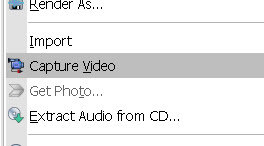
Sony Vegas Pro 8 makes it easier to edit videos from different cameras right from the timeline. You can capture and edit video for a single scene from 2 or more cameras or for a single scene shot a few times with one camera. Here is a tutorial of a Multicamera Edit of a drama I shot. The drama was acted out four times to the public and being a non-profit organization, the client have budget only for one videographer. For each of the 4 acts, the camcorder (Sony HDR-FX7 High Definition Camcorder) was placed at 4 different positions and shot in various angles. Multicamera edit is accomplished in only 8 steps with the Sony Vegas Pro 8. Step #1: Capture Multicamera Video Clips Use the normal Sony Vegas Video Capture function to capture recordings from each camera. Give each capture filename a unique name. Enable scene detection before capturing so that each segment is captured as a separate clip. Step #2 : Layout Video Clips on Timeline Drag and drop video clips over each other on the...
How to use an external camera on Mac? In this video, I demonstrate how I connect my GoPro (or other cameras) to my Macbook Pro for live streaming? See the links below the video for the list of equipment required for the setup. Links... - Micro-HDMI to HDMI cable... https://amzn.to/2VnZNcC - HDMI to USB Capture Device... Elgato Cam Link 4K... https://amzn.to/3a0Gcob Alternatives... Ansten... https://amzn.to/2W4mzGM Unisheen... https://amzn.to/2y9BDKS Magewell... https://amzn.to/3b2StJX ATEM Mini... https://amzn.to/2RtsDam Treaslin... https://amzn.to/2YidpHJ - USB to USB cable... https://amzn.to/2VnhpVX (Not required for Elgato Cam Link / USB to USB-C required for New MacBook pro) - GoPro Hero7 Black... https://amzn.to/3a8oiA9 - Gekkopod Flexible Tripod Stand... https://amzn.to/2yOyosF Like this video? Buy me coffee... 😋 https://www.buymeacoffee.com/VideoLane
AI video generation is revolutionizing content creation, allowing anyone to produce stunning visuals with just a few well-chosen words. Whether you're crafting a cinematic sci-fi intro, a whimsical animated loop, or a surreal music video background, the key to success lies in writing a clear and effective prompt. In this blog post, we’ll walk you through how to craft a prompt for AI video generation and provide a comprehensive list of possible words and categories to bring your vision to life. Let’s dive in! Why a Great Prompt Matters AI video generation tools like Runway, Kaiber, and Pika rely on text prompts to interpret your creative intent. A vague or poorly structured prompt can lead to lackluster results, while a detailed, specific one can produce jaw-dropping visuals. Think of your prompt as a blueprint: the more precise your instructions, the closer the AI gets to your vision. How to Write a Prompt for AI Video Generation A strong prompt combines several key el...
Hi
ReplyDeleteYour page is good and this might help you more..
http://spiritualfacts.blogspot.com
-Maxx