Posts

Showing posts with the label video production

Breakthrough! Create a 30-second Video Ad in Half an Hour...

The objective was to promote a website. To generate traffic to http://easycashsystemnow.com/ . Text and graphic content were all from the website. Here's the whole process done in half an hour. Use Corel VideoStudio . Copy and paste the headlines and sub-headlines. Copy and paste the ebook 3D cover graphic. Copy and paste 5 points from the list of benefits. Copy and paste the call-to-action texts for the last scene. Re-arrange and resize texts. Use black and white for simplicity. Select and add a catchy music track. VideoStudio comes with some automatic music that resize itself to fit the duration of the video. Select and add sound effects of a crowd cheering in the background. Animate the texts. Animate the ebook cover graphic. Fine tune the overall video so that the music beat syncs with the visuals. Render to WMV in high resolution. Finally the video clip was uploaded to 30 over video-sharing, social and bookmarking sites using Traffic Geyser . Writing this blog article took lo...

Dog Singing Happy Birthday to My Sis...

I made a dog sing the happy birthday song. Recorded on video and posted to Youtube. Shared the URL on my sis Facebook wall. The web 2.0 way to say "Happy Birthday Sis!" Can you hear the dog grumbling after the song? Adrian Lee http://VideoLane.com

Memory Card Camcorders Comparison for Professionals

Image
Professional Memory Card Camcorders Comparison I am in the midst of deciding the purchase a new professional video camcorder. Looking at the recent models, there is a clear trend towards recording on memory cards. This is great as I have always thought tape is so obsolete in the digital world and a waste of time when capturing video. Here are three professional video camcorders I have narrowed down. They differ in image sensors, video recording format and the type of memory card used. Panasonic AG-HVX200 vs Sony HVR-Z7 vs Panasonic AG-HMC70 . Read More on my new blog...

Mac to PC Font Converter

Image
How to Convert Mac Fonts to PC Fonts Free? I stayed up till 2 am last night googling for a free mac to pc font converter software. You may think I am such a cheapskate when I can just buy one from $50. That’s right, mac to pc font converter softwares are not cheap. I never needed to convert mac fonts to pc fonts since I started video production 10 years ago. Not till the latest project where the corporate fonts were given to me in mac format. PCs cannot read nor install mac fonts. You have to convert them to PC format fonts first. You can either convert them on the mac then bring them over to the PC or you can convert the mac fonts directly on the PC. In any case, that means when looking for a mac to pc font converter software, you have to take note of its operating system requirement. Since I do not have macs, I looked for a mac to pc font converter that runs on a Windows PC. Based on my google research, there were many free font converters in the pa...

Is WD 250GB Portable Hard Drive good?

Image
Video Production With WD 250GB External Hard Drive - Review Purchased a Western Digital WD 250GB Portable Hard Drive. S$199 from Challenger Tiong Bahru. There were two models on the shelves. One with backup software (Elite) and one without (Essential). I chose the model without backup software, cheaper of course. They call it “My Passport Essential”. Passport? The drive does look a bit like a passport, we can even choose colors. Blue or red. I chose blue. Wanted black but there was no stock. Then there were three specifications to choose from. 160GB, 250GB and 320GB. I have many 160GB drives, so the next thing to try is 250GB. I needed only 100GB actually. The last minute decision to get this hard drive is for a video production project that was shot with 3 camcorders. That’s 18 hours of video footage. One hour of video in PAL DV format takes up 12GB of hard drive space. The video production project requires immediate and dedicated attention for delivery within one wee...

The Best of Being a Singapore Videographer

Image
Singapore Videographer Gains Weight Filming Company Retreat Literally! My tummy grew bigger, pants became tighter. That’s after two weeks on the job. This is the best part of being a Singapore Videographer on a filming assignment for a company retreat. Tea breaks, lunches and dinners! I was trapped in a 5-star hotel on an island resort. There was no where to go, but to eat what the participants ate. Good FOOD! Everyday a new menu. Many dishes I have never even heard of. I like to start with deserts. Plenty of chocolate mousse and creamy pastries. For dinner, there were wines and beers. I am not a good drinker, but it certainly was a good treat. Being well-fed on the job has its reasons. My task was to video the two-week company retreat and produce a 5-minute clip on the very last day. The filming was easy. I just needed to know the program and follow accordingly. It was the video editing that takes takes a lot of effort. I have to deci...

5-Star Hotel in Sentosa Singapore Pissed Me Off

I was at Sentosa Singapore last week for a videography assignment. It was a banquet at a 5-star hotel. The client also hired me to produce a video to be screened on the same night. The hotel was to provide the video projection screen and audio system. The video was played via a laptop. The picture was good. The audio was muffled. This has nothing to do with the laptop. Using headphones, one can hear that the audio was of high quality. However the hotel technician told my client: "The original video sound is no good." THAT PISSED ME OFF. HELLO, I am the producer of the video standing right in front of you and you are a crew of a FIVE-STAR hotel in Sentosa Singapore. GET your audio system fixed before passing comments like that. We are all third parties to the client who is holding the function. PLEASE BE PROFESSIONAL. At the end of the day, after many attempts by the technician to get the muffled audio fixed at his mixer, he still could not get it right. This led me...

Royalty-Free Stock Footage For Video Production

Top 10 Royalty-Free Stock Footage Video Sites Stock footage are video footage that is not custom shot for use in a specific video production. Stock footage is of great use as it is far cheaper than shooting a needed scene. Use of stock footage is a cost-effective way to add production values to projects and when artfully done is indistinguishable from the body of the work. “ Royalty-free ” is a type of a stock footage license that provides for the unlimited use of a video footage in any media defined in the licensing terms. “Royalty-free” is the opposite of “rights-managed.” A rights-managed video footage needs a specific license stating the audience and material surrounding the video footage. Here are the Top 10 Royalty-Free Stock Footage Video Sites based on Alexa Traffic Ranking: iStockVideo Alexa Ranking #386 Internet Archive Stock Footage Alexa Ranking #426 Getty Images Footage Alexa Ranking #1,618 Shutter Stock Footage Alexa Ranking #1,96...

Build An Instant Movie in 6 Easy Steps

Image
Build-A-Video Workshop, Where Instant Movies Are Made My 10 year old daughter celebrated her birthday over the Easter weekend. What she wanted was a stuffed animal from Build-A-Bear Workshop. Being ignorant of kids stores around town, I thought Build-A-Bear Workshop was just another toy shop. By co-incidence while reading the financial news about Bear Stearns, I discovered Build-A-Bear Workshop is listed on New York Stock Exchange at a whopping $9 per share (rounded off). I thought: “How can a teddy bear shop make so much money?”. I brought my daughter to a nearby outlet to find out… and to build her the bear. The store was buzzing. There were mainly 3 types of customers. Parents buying for kids. Boyfriends buying for girlfriends. Girls buying for themselves. The staff were cheery bubbly teen girls bouncing around the store like they will never run out of batteries. Dollar signs appeared in front of my eyes. It is a novelty store. You actually...

Dramatically Increase Sales With DVD Duplication

DVD Duplication lets you make copies of your Marketing Video using your own DVD burner. DVD Duplication refers to burned DVD’s using the DVD burner on personal computers. DVD-R stands for DVD Recordable, the disc media on which the DVD is created. The DVD-R can be face-printed and creatively packaged. [ read more ]

Choosing the Right Video Editing Laptop Computer

The Weekend’s IT Show was packed like sardines. It seems everyone needed some kind of IT product… which is true… almost everything is IT or digital now. Cameras, video camcorders, phones, TV sets, car accessories and of course video editing software and computers. The quarterly exhibition is a must-go for its bargains, promotions, free gifts and lucky draws. This time I was there to look for a new video editing laptop. The laptop I want must be powerful enough to run Sony Vegas Pro 8 at high speed and must be able to burn DVDs wherever I go. It will complement my camcorder to form a complete mobile video production system. To meet the requirement, here are 5 power specs to look out for... [read more] I have moved my blog, so here is the article: http://adrian.videolane.net/?p=284

Video Marketing Tactics "Dum Marketing" Review

Image
My "To Do" list is getting longer. There is more and more things to learn and do to develop my business online. Offline, I make videos for a living. So when someone writes a report about Video Marketing Tactics that suck in profits, I HAVE to read it. As the title implies, this 13-page report is written like the famous "Dummies" book series. It is a free download with "rebrand" option. The "Dum Marketing" Technique is a unique funnel concept that is used in brick-and-mortar malls. It explains the trick to attract visitors to buy your first product and subsequently entice them to buy more from you. It has clear flow charts to illustrate the process step-by-step. There are 5 practical examples of how to use video with this technique. This is the section which I will refer back again when I take action (more things added to my to do list again). Here is one example: "You’ve just created a hot little special report and instead of gi...

Blu Ray Is In, HD DVD is Dead!

Image
The battle is finally over. No need to decide whether to produce Blu-ray or HD DVD Discs. The winner is Blu-ray ! "Sony and its Blu-ray buddies are going to make like VHS and party like it's 1989." Here are the news. Read all about it... HD-DVD Death Made Official - Wired Toshiba Quits HD Format War Blu ray The Winner - Smart House News Toshiba to Give Up on HD DVD - TheStreet.com R.I.P. HD DVD: Toshiba reportedly ends the war - CNET Toshiba to exit HD DVD, end format war - Reuters Toshiba finishing format war, pulling plug on HD-DVD - XboxNowOnline Game Over For HD DVD; Toshiba To Cease Production of HD DVD - Gaming Bits Blu-ray wins HD DVD format wars as Toshiba exits market! - VideoGamesBlogger Toshiba pulling HD DVD support, Blu-ray has won the war - Gadgetell Toshiba to Withdraw HD DVD Format -Techtree Microsoft Planning Blu-ray For Xbox 360, Following Fall of HD DVD - dBTechno Toshiba To Halt HD-DVD Production - Slashdot Has Blu-ray won? HD-DV...

Men Like YouTube, Women TV Shows

Image
It is found that women prefer watching online streaming tv shows, while men want to watch consumer-generated content from sites like YouTube. Here's the news ... Adrian Lee http://videolane.com/ http://instantviralvideo.com/ http://adriansjournal.blogspot.com/

Sony Vegas Pro 8 Tutorial - Multicamera Editing

Image
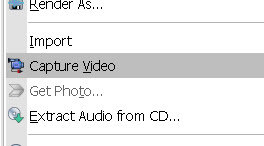
Sony Vegas Pro 8 makes it easier to edit videos from different cameras right from the timeline. You can capture and edit video for a single scene from 2 or more cameras or for a single scene shot a few times with one camera. Here is a tutorial of a Multicamera Edit of a drama I shot. The drama was acted out four times to the public and being a non-profit organization, the client have budget only for one videographer. For each of the 4 acts, the camcorder (Sony HDR-FX7 High Definition Camcorder) was placed at 4 different positions and shot in various angles. Multicamera edit is accomplished in only 8 steps with the Sony Vegas Pro 8. Step #1: Capture Multicamera Video Clips Use the normal Sony Vegas Video Capture function to capture recordings from each camera. Give each capture filename a unique name. Enable scene detection before capturing so that each segment is captured as a separate clip. Step #2 : Layout Video Clips on Timeline Drag and drop video clips over each other on the...

Build a Website With Free Online Tools and Video Widgets

Image
Building a professional website have become so easy with new free tools and free widgets. I have my own website since 1998 and it has undergone many changes and face-lifts with 100 pages and over. The 2008 web site revamp was in line with my new business direction as well as clients' feedback. Simple Content Management System Clients found the website navigation hard to follow with difficulty finding what they want. So I changed the whole template from a 1-column website to a 3-column website, from a top-menu drop-down navigation system to a side-menu navigation system. The side-menu bar is always visible as compared to a drop-down menu. to Thanks to CMSimple , a simple online content mangement system, the change in template was done within 1 hour, though the site has over 100 web pages. Everything is done online. Nothing to upload except new graphics and widgets. Free Online Logo Design Since the size of the graphic header is changed due to a different template, I had to redes...

Sony Vegas Pro 8 Tutorial: New Installation Instruction

Image
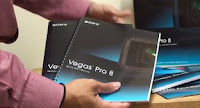
Finally, 2 weeks after winning the Sony Vegas Pro 8 , I found the time to install the video editing software on my video production laptop. Watch the video here... http://revver.com/video/589596/sony-vegas-pro-8-installation-instruction/ Inside the Sony Vegas box , you will find: 1. Installation CD 2. Serial Number and 3. Four manuals. Installation is quick and easy : 1. Insert installation CD. 2. Click "Install Vegas Pro 8". 3. Wait for Microsoft .NET Framework to install first (this took a very long time, more than 15 minutes). 4. Read and agree to the End-User License Agreement. 5. Wait for Sony Vegas Pro 8 software to install. 6. Go to Start and Run Vegas Pro 8. 7. Key in Serial Number. That's it and the program starts. Thanks for watching! :) http://www.lulu.tv/vlog/videolane Adrian Lee http://videolane.com/ http://instantviralvideo.com/ http://youtube.com/videolane http://adriansjournal.blogspot.com/ PS: Learn the secrets of dvd and internet video production, sign u...

How to Make a Youtube Christmas Video Greeting Card

Would you like to create a christmas greeting card that is unique, unforgettable and viral? Are you still sending ecards, paper cards or those boring standard multimedia cards. In this day and age, sharing Youtube online video is the way to go. I'm not talking about the boring looking into a webcam and speaking a message to your friends and family. Hre's my idea. Record and edit a time lapse video of the progressive construction of your christmas tree. Watch the video here... http://youtube.com/watch?v=eXnCltZUzLM All you need is your video camcorder and a computer OR just the computer alone if you have a webcam. Next, you need all your family members to be present and all dressed up. Finally, you need your christmas tree and the decorations, disassembled. Already fixed your christmas tree? Take it down. Then follow these steps... STEP 1: PLAN - PREPARE YOUR CHRISTMAS TREE Decide the location where you want to fix your christmas tree. Mine is in the corner of the living room. P...

Setting Business Goals for the New Year 2008

Image
My staff will be taking their year-end holiday break from work next week onwards. I know that after a week of holiday from work, anyone will feel refreshed and rejuvenated. So I thought before they go, this would be the best time to meet up with them to review the year 2007 and to come up with new ideas for year 2008. So here are our 5 business goals for the new year 2008. DVD Video Product Creation. All these years, we have been helping clients to make videos that promote their business or videos that sell very well. Next year, we will also be making our own videos. It will not be short films, but more like instructional and educational videos. Event Videography Course. I will personally be imparting my skills for the first time to anyone who would like to start a business and make money making videos. This course will not be the same video production course that they teach in media study schools. This will be a one-to-one training to equip the individual with a valuable skill and a...

How To Shoot and Edit a Film Festival Awards DVD Video...

I just completed and uploaded my latest video assignment. Please watch it here... http://www.videolane.com/?Videos:Asian_First_Films_2007 It is a star-studded Awards Ceremony for the Asian Festival of First Films organized by Teamwork Productions in Singapore on 4 December 2007 at Jubilee Hall, Raffles Hotel. Here is what I have to do as a videographer working alone. THE EARLY BIRD I like to arrive 2 hours before the event starts. This gives me ample time to survey the place, watch the last minute rehearsals and find out the exact flow of the event. For recording stage shows, I will also need some time to plant my tripod on the best spot and hook up the sound feed to my camcorder. EAT THE SOUND Getting the sound feed means hooking up my camcorder audio input to the hall audio system's output. That is, instead of recording ambient surrounding noise, I have crisp clear sound recording from every microphone setup on stage. Got to do this early because I know lots of press media people...