Posts

Showing posts with the label DVD

Understanding the Basics of Video Production

Image
Would you like to author your own DVDs and publish videos to the Web? Are you interested in saving time and money by learning how to produce your own videos in-house? This 2-day basic videography course is definitely for you! http://videolane.com/courses/basic-videography/ Join me for 2 days of intense, comprehensive, entertaining and informative workshop. In this workshop, you will discover: 1. Understanding the Basics of Video Production. 2. The Camcorder and the 6 Core Video Camera Skills. 3. Sound Recording and Lighting Techniques. 4. Video Editing Computers, Software and Techniques. 5. Getting Started with Sony Vegas Video Editing. 6. DVD Authoring and Web Video Publishing. The Basic Videography Course is a 2-day workshop oriented for beginners and is a great way to introduce someone to the world of videography! Get Hands-On experience with videography techniques used by professional videographers. Learn the entire video making process from production planning to ...


DVD PAL or DVD NTSC, here's the Country List...

Image
I have been answering this question very often. "Does this country use DVD NTSC or DVD PAL?" A very technical question, but an important one. My clients wants to send their DVD to other countries. I have to make sure I burn them in the right format. While Singapore can play both NTSC and PAL DVDs, some countries can play only either one format. If you send a PAL DVD to Japan, their NTSC DVD Players will not read the disc. Here are the top 10 countries I get asked most frequently: Australia - DVD PAL China - DVD PAL Hong Kong - DVD PAL Japan - DVD NTSC Korea South - DVD NTSC Philippines - DVD NTSC Singapore - DVD PAL Taiwan - DVD NTSC U.S.A. - DVD NTSC Vietnam - DVD PAL I have created a list of 66 more countries with their DVD format. You can download in PDF format for free here... http://videolane.com/2009/07/dvd-ntsc-or-dvd-pal-format-in-other-countries/ Enjoy! Adrian Lee http://Twitter.com/AdrianLee PS: Here are more sites to discover about NTSC and PAL T...

AVCHD to DVD Editing Workflow with Sony Vegas

Image
I am making the transition from mini-DV tape recording to AVCHD recording. I will be abandoning tape recording once and for all and move to memory recording. I say transition because currently my AVCHD recording is on hard disk inside the camera. I prefer memory card recording for maximum convenience, which will arrive soon on my new camcorder. AVCHD recording is the way to go for an Event Videographer who shoots long hours. I have been shooting 2-hour long seminars for the past two months and edited them to DVDs successfully. The editing is done on Sony Vegas Pro 8 and converted to DVD-compliant MPEG2 files. Here is the AVCHD workflow with DVD as the final product: Connect AVCHD camcorder (hard disk type) to PC via USB cable. Transfer AVCHD videos (.MTS files) to PC hard drive. Open Sony Vegas Pro 8. Drag and drop MTS files into Sony Vegas timeline. Edit. Add titles, cut scenes, add music, adjust sound quality, etc. Render project as DVD-compliant MPEG2 files...

Extracting Videos From a DVD to MPG

Image
Do you want to edit a DVD or maybe take out a part of the DVD to be edited with other video footages? Do you know that you do not need to buy any software to extract video clips from a DVD? You can even do it yourself. All you need is your PC with a DVD drive. In this video tutorial, you will learn how to extract video from a DVD using a PC running on Windows XP. Steps to extract videos from a DVD... How to Extract Video from a DVD for Editing

SlySoft AnyDVD Version 6.4.6.2 Released

Image
New Version of SlySoft AnyDVD Released Here is an update from Slysoft with the release of a new version of AnyDVD . List of fixes and improvements: 6.4.6.2 2008 08 22 - New: Added ISO/UDF image file creation to AnyDVD ripper - New (Blu-ray & HD DVD): ISO/UDF images can be created with or without copy protection. WARNING: AnyDVD can remove the protection from protected images. Protected images are useless, if AnyDVD is not installed and running! - New (Blu-ray & HD DVD): Improved speed of AnyDVD ripper - Fix (Blu-ray): Bug in BD+ removal, if more than one title on a disc is protected, e.g. “Prison Break Season 3″, US - Fix (Blu-ray): Bug in “Remove UOPs” with some titles, e.g. “AVP2″ Region B, (UK, Germany) - Fix (DVD): AI scanner made a mistake with “The Eye”, Region 2, DK - Some minor fixes and improvements - Updated languages The update is free for all registered customers, just install the new version on top of your current version, regardless which version you h...

Xerox DVD Duplicators

Image
Did You know… Xerox not only copy paper documents, they make DVD copiers too! The Xerox DVD/CD & Blu-ray Duplicators are manual tower duplicators that range from one to 15 writer drives, each of which operates independently of a PC, providing businesses a quick and inexpensive way to make multiple copies of CDs and DVDs. In an industry first, each of the new models allow users to transfer image files directly from a PC to the duplicator’s internal hard drive, saving users the time and effort usually required to produce a master disc for each project. Read more here... Xerox Copier Makes Xerox DVD Duplicators

DVD Copy and iPod / PSP DVD Converter

Image
Ideal DVD Software Introduces DVD Copy Software and iPod/PSP DVD Converters Here are 3 new software released by Ideal DVD Software. Ideal DVD Copy An ideal DVD Copy software to backup your original DVD movie. Key Features of Ideal DVD Copy: True 1:1 DVD Copy without losing any quality - Copy entire DVD to 4.7GB disc or 8.5 GB dual layer disc with 1:1 mode. Copy DVD-9 movie to a 4.7GB disc - Shrink DVD-9 movie to fit on a 4.7GB disc in near perfect quality. Copy main movie only - Remove menus, trailers, unwanted audios and subtitles. Copy selected episodes - Choose episodes you wanted from a TV Show DVD or episodic DVD to copy. Copy DVD-9 movie to two 4.7GB discs - Split a DVD-9 movie to two 4.7GB discs without losing any quality. Copy DVD movie to hard disk - Enjoy it from hard disk without original DVD. You also can burn it to blank DVD later. Remove all the restrictions of DVD - Make r...

Online PowerPoint to Video Conversion

Image
Convert Powerpoint to Flash Video Online There is an online alternative to Camtasia ! Also, it is free! If you are looking for ways to convert PowerPoint to video, try authorSTREAM . It does the conversion online without having to download any software. You don’t have to pay for it too. After converting your PowerPoint to video at authorSTREAM, you can share your PowerPoint slideshows by embedding it in your blog, websites, post to YouTube and even put it on iPod. You can convert your Powerpoint presentation complete with animations, timings and audio. Great for marketing presentations, training content and short video reports. Just sign up with your email, upload your PPT file and wait a few minutes for the conversion process Once converted, the video can be shared like a Youtube video. Maybe one day we will see a powerpoint slideshow become a viral video. Here is a sample embedded from the site. To Your Success! Adrian Lee htt...

CD DVD Duplication Made Easy

Image
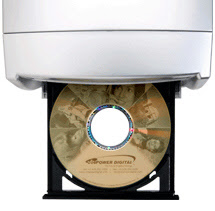
Vinpower Digital created a standalone cd dvd duplicato r with lightscribe label printer built in. In collaboration with LightScribe , the new system offer the ability to inscribe text and graphic labels directly onto CDs and DVDs without connecting to a computer. The SharkCopier LS is used as a cd dvd printer by first creating the label graphic art on a computer, then loading the image onto the duplicator for disc label duplication. Using the SharkCopier LS is easy with these simple steps. 1) Insert the LightScribe CDs or DVDs into the drives with label side face down 2) The duplicator will laser-inscribe the loaded image onto the discs 3) Flip the disc over in the same drive with the data side face down 4) The duplicator will copy the selected data The SharkCopier LS is available in various sizes from 1-to-1 up to 1-to-15. The major advantage of the SharkCopier LS system is that it eliminates the concerns of running out of ink or thermal ribbon commonly found in printer based...

Blu Ray Is In, HD DVD is Dead!

Image
The battle is finally over. No need to decide whether to produce Blu-ray or HD DVD Discs. The winner is Blu-ray ! "Sony and its Blu-ray buddies are going to make like VHS and party like it's 1989." Here are the news. Read all about it... HD-DVD Death Made Official - Wired Toshiba Quits HD Format War Blu ray The Winner - Smart House News Toshiba to Give Up on HD DVD - TheStreet.com R.I.P. HD DVD: Toshiba reportedly ends the war - CNET Toshiba to exit HD DVD, end format war - Reuters Toshiba finishing format war, pulling plug on HD-DVD - XboxNowOnline Game Over For HD DVD; Toshiba To Cease Production of HD DVD - Gaming Bits Blu-ray wins HD DVD format wars as Toshiba exits market! - VideoGamesBlogger Toshiba pulling HD DVD support, Blu-ray has won the war - Gadgetell Toshiba to Withdraw HD DVD Format -Techtree Microsoft Planning Blu-ray For Xbox 360, Following Fall of HD DVD - dBTechno Toshiba To Halt HD-DVD Production - Slashdot Has Blu-ray won? HD-DV...

Promotion Coupon Code for Slysoft CloneDVD...

Image
I thought you might like this... To celebrate the 1st anniversary of SlySoft Support Forum, they are offering a 20% discount on all products (except upgrades). Click here... http://www.videolane.com/?Digital_Video_Tips:How_to_Copy_DVD:CloneDVD To redeem the coupon just enter the coupon code. coupon code: forum http://www.videolane.com/?Digital_Video_Tips:How_to_Copy_DVD:CloneDVD Enter the code in the box 'Coupon / Promotion Code' at the bottom of the check-out form. Enjoy! Adrian Lee PS: Please note that this coupon is only valid until January, 28th 2008! http://www.videolane.com/?Digital_Video_Tips:How_to_Copy_DVD:CloneDVD

How To Shoot and Edit a Film Festival Awards DVD Video...

I just completed and uploaded my latest video assignment. Please watch it here... http://www.videolane.com/?Videos:Asian_First_Films_2007 It is a star-studded Awards Ceremony for the Asian Festival of First Films organized by Teamwork Productions in Singapore on 4 December 2007 at Jubilee Hall, Raffles Hotel. Here is what I have to do as a videographer working alone. THE EARLY BIRD I like to arrive 2 hours before the event starts. This gives me ample time to survey the place, watch the last minute rehearsals and find out the exact flow of the event. For recording stage shows, I will also need some time to plant my tripod on the best spot and hook up the sound feed to my camcorder. EAT THE SOUND Getting the sound feed means hooking up my camcorder audio input to the hall audio system's output. That is, instead of recording ambient surrounding noise, I have crisp clear sound recording from every microphone setup on stage. Got to do this early because I know lots of press media people...

Camtasia Studio Free Download with Serial Key

Image
POWERPOINT TO VIDEO WITH CAMTASIA STUDIO Here is an excellent software to convert your powerpoint presentations to video. Camtasia Studio is a computer screen capture software that records your screen activities on video. With this video , you can convert it to DVD or VCD using another software. Camtasia Studio usually costs US$299, but now you can download it for free! HOW TO GET CAMTASIA STUDIO FOR FREE STEP 1: Download the free trial version of Camtasia Studio 3 here . STEP 2: Get the serial key by filling up your details here . STEP 3: Install the software and fill in the serial key. STEP 4: Start converting your powerpoint presentations to video. Adrian Lee http://videolane.com/ http://instantviralvideo.com/ http://adriansjournal.blogspot.com/ PS: Help your business grow with dvd and internet video production, sign up for my free newsletter now... http://www.videolane.com/?Free_Newsletter

How to Edit a DVD Video Intro and Where to Get Royalty-Free Music...

Image
"I WANT MY INTRO" My client demanded an intro to be added to their seminar dvd video product. I have really spoilt my clients by giving them excellent stuff. So when I decided not to edit the intro video sequence but do a static title opening, they were not happy. (pssst.. I did that coz I was in a hurry to complete loads of projects 1 day before my London trip) "GIVE THEM THE USUAL FORMAT" My colleagues told me to use my usual format to save time. Huh? What usual format? To me, every seminar I shoot is different. Unique in its own way. Every seminar has its own theme. I have to CREATE something special. I hate to say it, but sometimes I do too much and charge too little. Passion for my work? WHO IS PRESENTING? That was the first question that crossed my mind. This is an "Internet Millionaire" training seminar conducted by Matt Bacak. I usually check the speaker's website to get the idea of who he is and what's his corporate theme. Then I will grab...

Hollywood Writers Strike Closed The Office...

Image
The creatives are voicing... Are the profiteers listening... I see a big hint though... The future is online video... - Adrian Lee shares the writers sentiments, http://videolane.com/ Why We Fight... The Office is Closed...

New HD Power Pack for Ulead DVD MovieFactory 6 Plus...

People tell me this cheap software is... well CHEAP. But hey! I made a lot of money with it. Using it to convert and make DVDs. My clients love the quality without question. The software I am talking about is Ulead DVD MovieFactory . This month, Corel announces the new HD Power Pack for Ulead DVD MovieFactory 6 Plus . This makes Ulead DVD MovieFactory even more powerful. I can now transfer my HD videos from my Sony SR8 and FX7. ==> Download MovieFactory here... http://www.videolane.com/?Digital_Video_Tips:Recommends:Ulead_MovieFactory "With Support for AVCHD, BDMV and HD DVD Advanced Content disc formats, the new HD Power Pack provides consumers with the world’s only all-in-one HD authoring solution to create professional-looking HD results." Some new features found in the HD Power Pack include: AVCHD Authoring HD content from virtually any HD source including HDV and AVCHD camcorders as well as recorded HDTV programs can now be authored and burned to a standard DVD usi...

Back Up Any DVD, Download New Version Now...

Image
Re: AnyDVD 6.1.7.0 Update... A new version of AnyDVD has been released. AnyDVD works in the background to automatically remove the copy protection of a DVD movie as soon as it's inserted into the drive, allowing you then to backup the movie using a DVD backup tool such as CloneDVD and CloneDVD mobile. http://www.videolane.com/?Digital_Video_Tips:How_to_Copy_DVD:AnyDVD Here the list of fixes and improvements: - New (DVD): Added support for a new version of Macrovision RipGuard as found on "Dead Men's Society Special Edition", R1, US - New (DVD): Added support for a new protection as found on "Styx and REO Speedwagon : Arch Allies - Live at Riverport", US - New (DVD): Workaround for mastering error on "Kama Sutra", R1, US - New (Blu-ray): Support for new titles- Fix (DVD): "DVDManager 5 x IFOFormat 13" error with CloneDVD mobile - Fix (DVD): Removed a debug message box, which was forgotten- Some minor fixes and improvements- Updated languag...

Want to Burn a Problem-free DVD? Here's a Tip...

...While burning your DVD or VCD, turn off all programs running in the background. Eg virus checker, messenger, torrent, etc. Hope you enjoy this short tip. Adrian Lee http://VideoLane.com

Adrian Lee's DVD Production Setting Checklist...

Adrian Lee's DVD Production Setting Checklist For best quality output on a standard PAL DVD Media Type : DVD-PAL File Type : MPEG2 file, *.MPG Frame Size : 720 x 576 Frame Rate: 25 frames per second Frame Type : Lower Field First Display Aspect Ratio : 4:3 Video Data Rate : Variable VBR (Max. 8000 kbps) Audio Data Rate : 224 kbps Audio Format : MPEG audio layer 2 Audio Frequency : 48 KHz Audio Type : Stereo

Singapore Internet Marketer's Videographer at the Internet Millionaire Incubator...

"Singapore Internet Marketer's Videographer"... That's what Ewen Chia and Jo Han Mok refer to me as. I like that name, sounds better than " Wedding Videographer "! The weekend was even bigger, I got to shoot more Internet Millionaire Makers... Internet Millionaire Maker #1: Ted Ciuba Internet Millionaire Maker #2: Warren Whitlock Internet Millionaire Maker #3: Keith Wellman Internet Millionaire Maker #4: James B.Allen Internet Millionaire Maker #5: Brandon Hong Internet Millionaire Maker #6: Matt Bacak Internet Millionaire Maker #7: Jo Han Mok This was at the Internet Millionaire Incubator Seminar Event. The ballroom overflowed with eager participants ready to change their lives. I got a ton of valuable tips and internet millionaire secrets. Too bad if you missed this event, though I got them all recorded on DVD. You have to approach Jo Han Mok and Matt Bacak to order your copy. Adrian Lee http://VideoLane.com