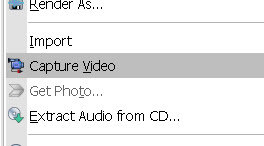
Sony Vegas Pro 8 makes it easier to edit videos from different cameras right from the timeline. You can capture and edit video for a single scene from 2 or more cameras or for a single scene shot a few times with one camera. Here is a tutorial of a Multicamera Edit of a drama I shot. The drama was acted out four times to the public and being a non-profit organization, the client have budget only for one videographer. For each of the 4 acts, the camcorder (Sony HDR-FX7 High Definition Camcorder) was placed at 4 different positions and shot in various angles. Multicamera edit is accomplished in only 8 steps with the Sony Vegas Pro 8. Step #1: Capture Multicamera Video Clips Use the normal Sony Vegas Video Capture function to capture recordings from each camera. Give each capture filename a unique name. Enable scene detection before capturing so that each segment is captured as a separate clip. Step #2 : Layout Video Clips on Timeline Drag and drop video clips over each other on the...
Behind the scenes of a real live edit using the TELESIN neck mount... Hey creators, Earlier this week, I went live on my YouTube channel ( YouTube.com/@Adrianvideoimage ) to edit a short-form TikTok Shop affiliate video from scratch using CapCut on my phone. Instead of showing a slick, perfectly polished, highly scripted tutorial, I streamed the raw, unedited editing workflow complete with real-time audio trimming, layer adjustments, and speed ramps. You can watch the full behind-the-scenes recording and workflow right here: Editing a TikTok Shop Video in CapCut on iPhone 17 Pro (Live Workflow) - TELESIN Neck Mount Review If you're creating affiliate videos, product reviews, or quick mobile tutorials, here is the exact 3-part editing framework I used during the stream to turn raw POV footage into a converting short video. The "POV Affiliate" Mobile Editing Formula When you shoot product footage using a magnetic neck mount (like the TELESIN setup), you get hands-free first...
AI video generation is revolutionizing content creation, allowing anyone to produce stunning visuals with just a few well-chosen words. Whether you're crafting a cinematic sci-fi intro, a whimsical animated loop, or a surreal music video background, the key to success lies in writing a clear and effective prompt. In this blog post, we’ll walk you through how to craft a prompt for AI video generation and provide a comprehensive list of possible words and categories to bring your vision to life. Let’s dive in! Why a Great Prompt Matters AI video generation tools like Runway, Kaiber, and Pika rely on text prompts to interpret your creative intent. A vague or poorly structured prompt can lead to lackluster results, while a detailed, specific one can produce jaw-dropping visuals. Think of your prompt as a blueprint: the more precise your instructions, the closer the AI gets to your vision. How to Write a Prompt for AI Video Generation A strong prompt combines several key el...

Comments
Post a Comment